
- Dec 10, 2025
- 7 min read
The Hidden Cost of Typing the Same Message Twice (and How to Stop)
Customer support agents, sales teams and managers waste hours every week retyping nearly identical messages. Here's how a smart template system with AI rewriting eliminates the repetition.
There's a category of work that never shows up in time-tracking software but quietly consumes hours every week: typing near-identical messages from scratch each time. A customer asks the same question you answered yesterday. A prospect needs the same proposal breakdown you sent last week. A colleague asks you to explain the same process you've explained a dozen times. Each time, you open a blank compose window and start from scratch — because it feels faster than hunting for the old version to copy. It isn't. And the Templates feature in ForSocials is built around the insight that the copy-rewrite-paste workflow is far faster than anyone expects.
How Much Time Are You Actually Losing? Research from McKinsey Global Institute found that the average knowledge worker spends 28% of their workday on email alone, with a significant portion going to composing messages that are variations of messages they've sent before. For customer support specifically, Zendesk's Customer Experience Trends Report consistently shows that response time is the top driver of customer satisfaction. Every minute spent composing a response that could have been inserted from a template is a minute that affects the customer's experience and the agent's capacity. The arithmetic adds up quickly. If you send 20 repetitive messages per day and each takes three minutes to compose from scratch, that's an hour of pure composition time. A template library reduces that to 15-20 minutes — including the time to personalise each one.
What Makes a Good Template System. Most people who try templates give up on them for one of three reasons: the templates are too rigid (a template that's word-for-word perfect for one situation is almost never right for another), finding the right template takes too long (if you have 40 templates in a shared doc organised by date created, the search time eliminates the saving), or the templates are hard to adapt when the situation changes. The ForSocials Templates feature addresses all three. Templates are locally stored in your browser for instant access, they stay easy to find, and the built-in Rewriter integration means you can polish any template in 10 seconds before sending.
The Copy-Rewrite-Paste Workflow. This is the core workflow that makes AI-assisted templates different from static text expanders: copy the template that's closest to what you need, paste it into the Rewriter to get three alternative versions in seconds, pick the one that fits this specific recipient, context, and tone, make any final personalisation edits, then send. The result is a response that feels personal — because you've adapted it — but took 60 seconds instead of three minutes. The AI handles the structural variation; you handle the judgment about which version fits.
Building a Template Library That Actually Gets Used. The most common mistake with template libraries is building them all at once. Nobody uses a template library they built in one sitting — the templates don't reflect how you actually communicate. The better approach is to build your library reactively: start with the message you've typed most recently for the third time, save any message immediately after sending it if you think you'll send something like it again, and review your sent folder monthly to find the messages where you clearly spent time crafting something. Those are the candidates for templates — you've already done the work of getting the tone right.
Template Categories Worth Building. Customer support templates include: initial acknowledgement for complaint tickets, requests for more information, resolution and closure messages, and refund or policy explanations — each with the relevant policy document or troubleshooting PDF attached. Sales templates include: first response to inbound enquiries with pricing guide attached, follow-ups after no response, objection-specific templates, and proposal cover emails with proposal PDF attached. Internal communication templates include: project status update formats, structured request messages, meeting summary templates, and feedback request frameworks. Social media templates for use with Reply Guy include pre-approved responses to common audience questions, thank-you templates for mentions or shares, and FAQ answers you often type in comments.
The Privacy Advantage of Local Storage. One concern with template systems is that they often contain sensitive business information — pricing structures, client names, internal processes. Cloud-based template tools store this information on external servers. ForSocials Templates are stored locally in your browser via cookies. The templates never leave your device unless you choose to export them. This is particularly valuable for professionals handling client-sensitive or commercially sensitive communication. The trade-off is worth noting: clearing your browser cookies will delete your templates, so for important template libraries keep a backup copy in a document on your device. But for day-to-day use, local storage means no accounts, no sync issues, and no third-party data exposure.
Templates are part of the free ForSocials plan. Start building your response library today.
Was this post helpful?
Explore Related Features
Templates
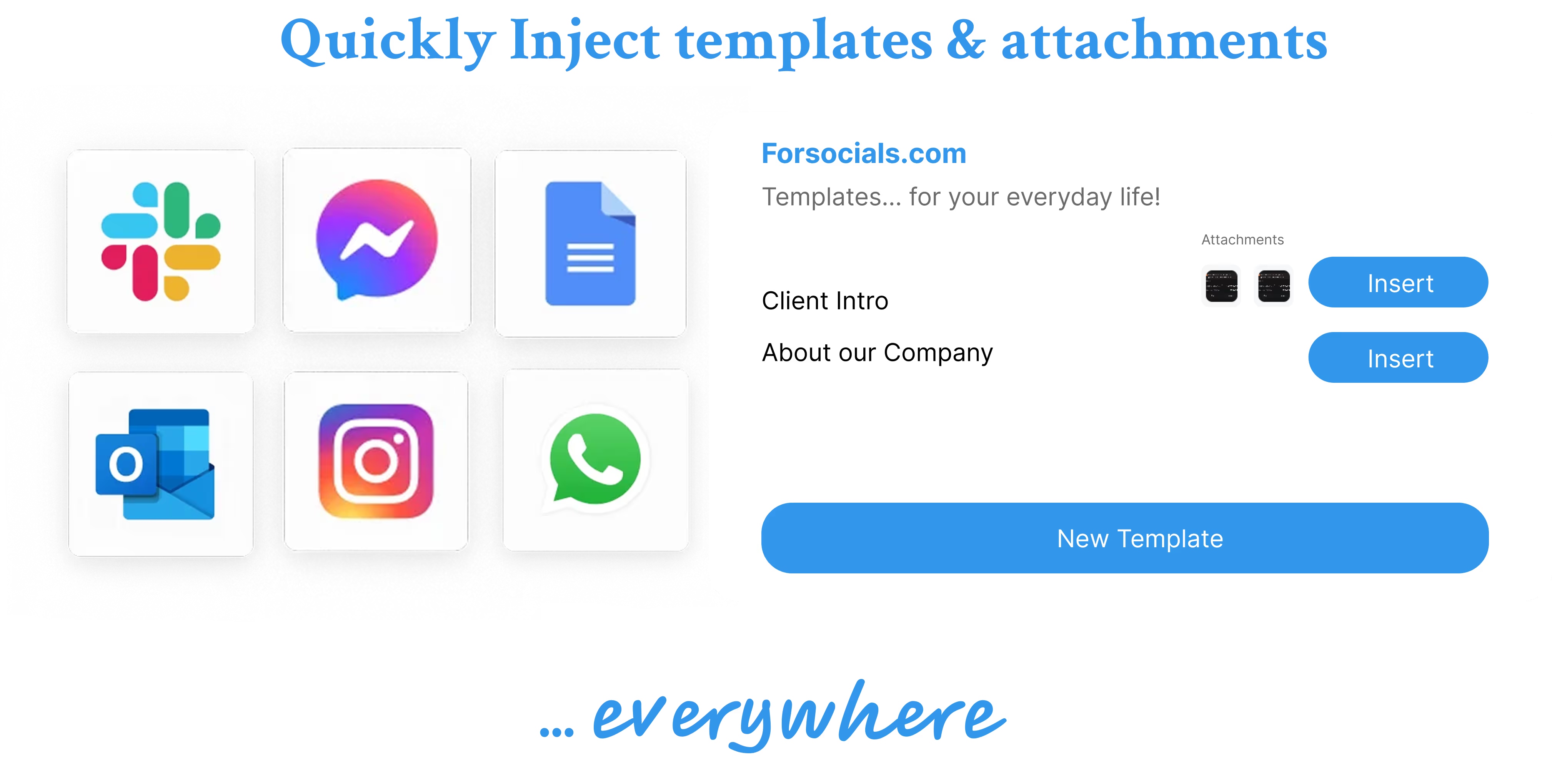
Save message templates and canned responses for repetitive replies. Copy, rewrite, and reuse instantly — perfect for customer support, sales, emails, and social media responses.
Learn MoreRelated workflows
If you want to go deeper, explore AI Chrome extension and AI templates to connect this topic to the broader ForSocials workflow.
Related articles
The AI Rewriter That Gives You 3 Professional Alternatives in Seconds
Nov 26, 2025
AI Email Rewriter for Outreach, Follow-Ups, and Professional Messages
Apr 9, 2026
Chat with AI on Any Website — Without Opening a New Tab
Dec 3, 2025
How to Write Better LinkedIn Replies With AI Without Sounding Generic
Apr 11, 2026
Why Your Emails Sound Wrong (And the AI Fix That Takes 10 Seconds)
Dec 10, 2025

How Browser-Based AI Transcription Is Replacing Clunky Desktop Software for Meetings and Lectures
Dec 28, 2025
Why Most AI Writing Tools Are Quietly Training on Your Emails (And What to Do About It)
Dec 10, 2025
AI Writing Workflows That Save Time Without Making Your Writing Sound Robotic
Apr 5, 2026
Reply Guy: How AI-Powered One-Click Replies Are Changing Social Media Engagement
Nov 12, 2025
Best AI Chrome Extension for LinkedIn Prospecting and Faster Outreach Workflows
Apr 9, 2026
Best AI Tools for Social Media Engagement When You Want Faster Replies and Better Flow
Apr 4, 2026
The 7 Best AI Chrome Extensions for Productivity in 2025 (Tested and Compared)
Feb 5, 2026
Best LinkedIn Comment Examples for More Engagement Without Sounding Forced
Apr 12, 2026
Best X Reply Examples for Faster Engagement Without Sounding Forced
Apr 14, 2026
Browser AI Assistant vs Switching Tabs: Which Workflow Actually Saves Time?
Apr 8, 2026
The Science Behind Viral Threads: How AI-Generated Thread Structures Outperform Single Posts on X
Jan 15, 2026
Canned Responses for Customer Support That Still Feel Human
Apr 7, 2026
Stop Switching Tabs: How to Use AI While You Browse (Without Losing Your Place)
Dec 10, 2025
How to Answer Reddit Threads More Helpfully With AI
Apr 14, 2026
How to Build a Better Instagram Caption Workflow With AI
Apr 14, 2026
How to Build a Better X Reply Workflow With AI
Apr 14, 2026
How to Build a Reusable Support Reply Library That Saves Time Every Week
Apr 8, 2026
How to Comment on Instagram Posts Consistently Without Burning Out
Apr 11, 2026
How to Reply on X Faster Without Sounding Like Everyone Else
Apr 14, 2026
How to Rewrite Follow-Up Emails With AI So They Sound Clearer and More Professional
Apr 10, 2026
How to Turn Rough Notes Into LinkedIn Posts With AI
Apr 14, 2026
How to Use AI for Reddit Replies Without Sounding Fake
Apr 14, 2026
How to Write Instagram Captions Faster With AI
Apr 14, 2026
How to Write LinkedIn Posts With AI That Still Sound Like You
Apr 14, 2026
How to Write X Threads Faster Without Losing Structure
Apr 5, 2026
Instagram Caption Examples That Are Better Than Basic Prompts
Apr 14, 2026
Instagram Comment Strategy for Creators: How to Engage Faster Without Repeating Yourself
Apr 10, 2026
LinkedIn Post Examples for Thought Leadership That Don't Sound Fake
Apr 14, 2026
Meeting Transcription in the Browser: A Faster Workflow for Notes and Follow-Ups
Apr 6, 2026
Templates: Save, Reuse, and Never Type the Same Response Twice
Nov 19, 2025
Reddit Comment Examples That Feel Helpful, Not Generic
Apr 14, 2026
How to Reply to 50 Social Media Posts in Under 10 Minutes (Without Sounding Like a Bot)
Dec 10, 2025
How to Build a Social Media Engagement Strategy That Actually Works (With AI Assistance)
Feb 20, 2026
Speech to Text for Meetings Without Leaving the Browser
Apr 7, 2026
How to Turn Notes Into an X Thread With AI
Apr 6, 2026